

FreelancerFlow
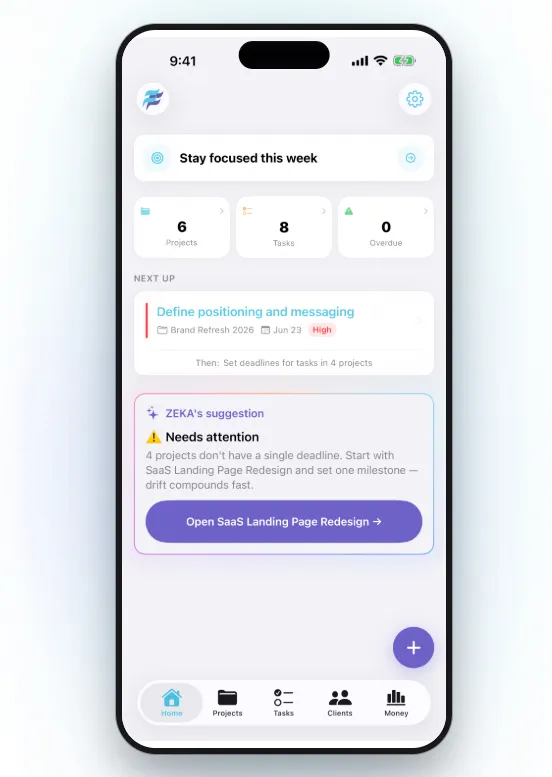
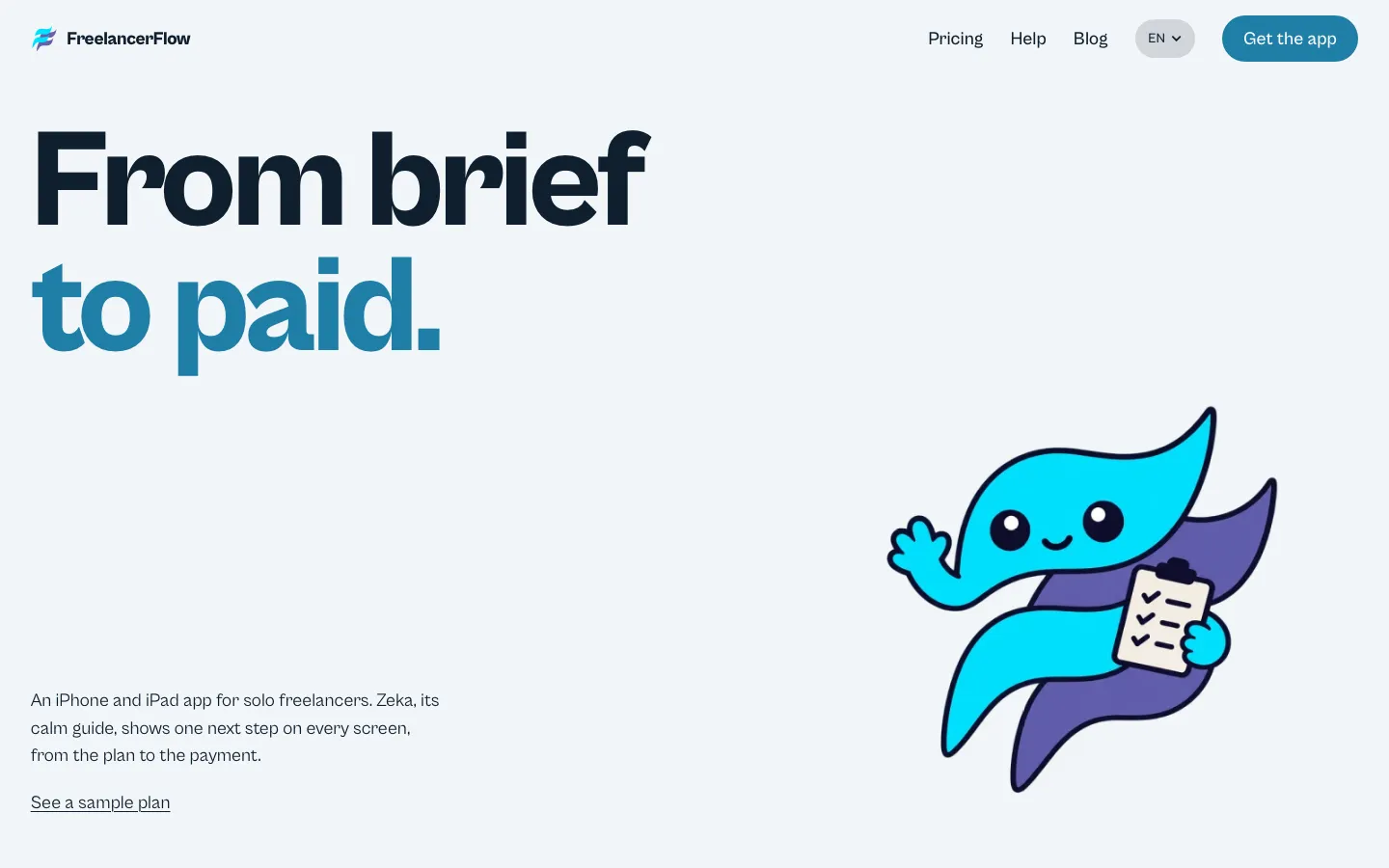
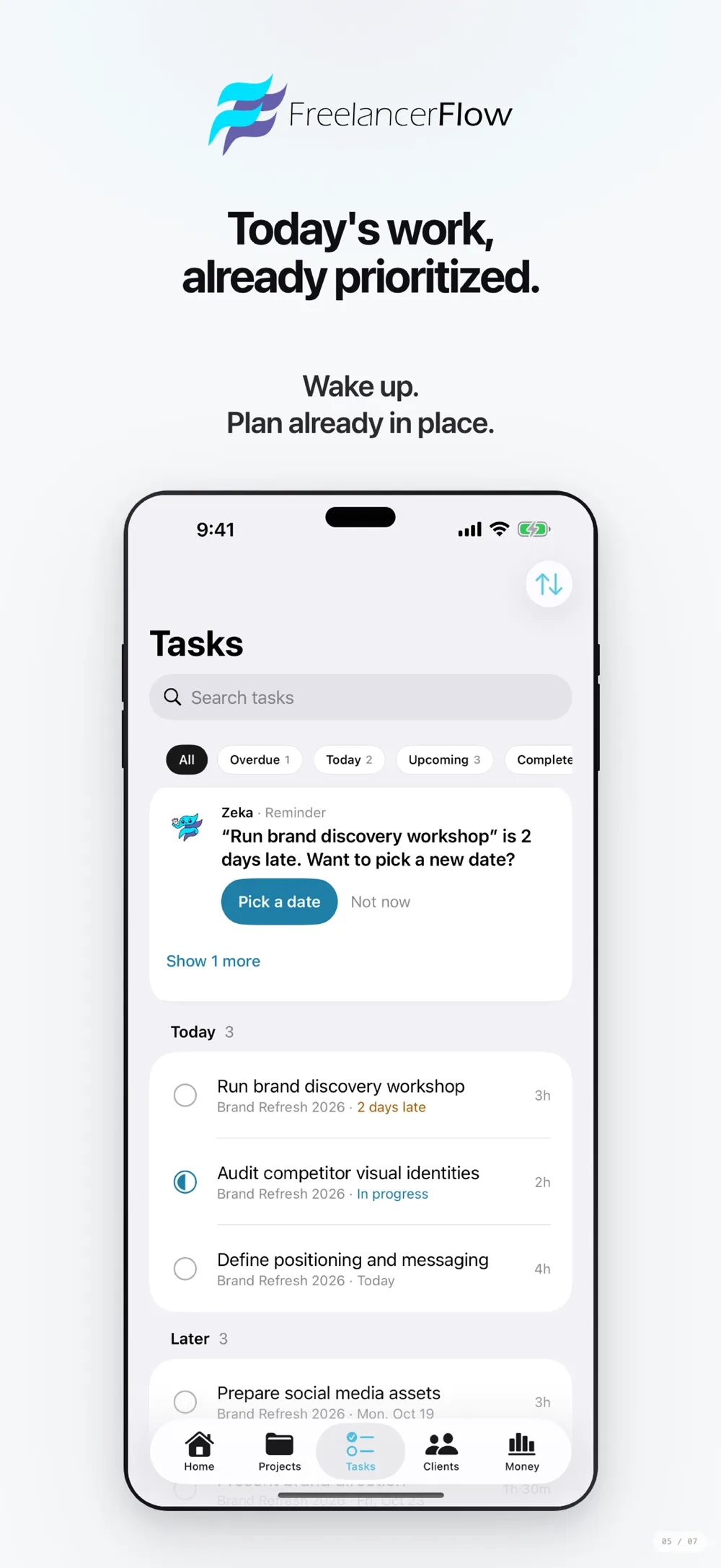
FreelancerFlow is an iPhone and iPad app we built for solo freelancers. It takes a client brief to a plan, the plan to a quote, the quote to an invoice and the invoice to payment, in one app. Zeka, the app's calm guide, shows one next step on every screen.
Platform
iPhone and iPad
Who it is for
Solo developers, designers, writers, marketers, video creators and consultants
Status
Live
1 / 3
On iPhone
View on the App Store ↗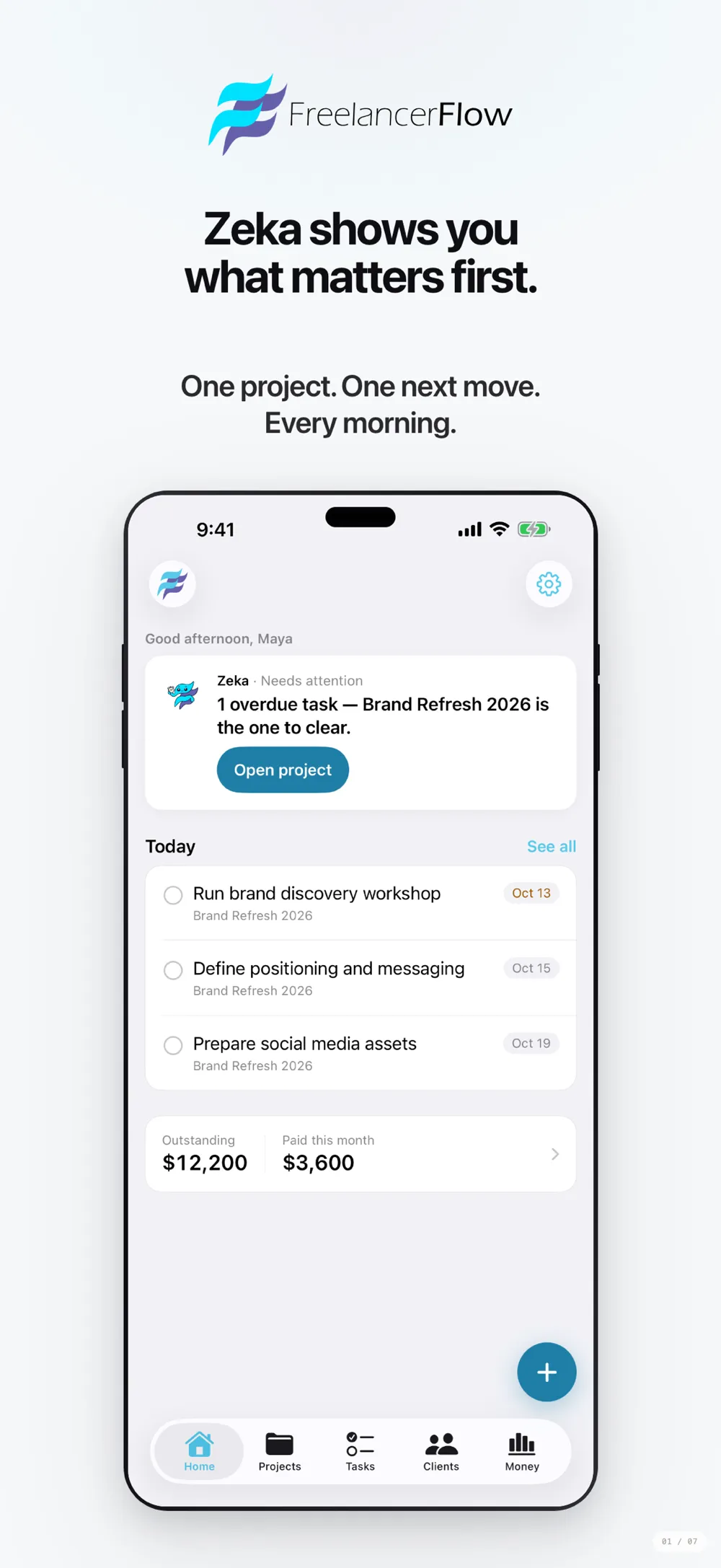
1 / 7
What it does
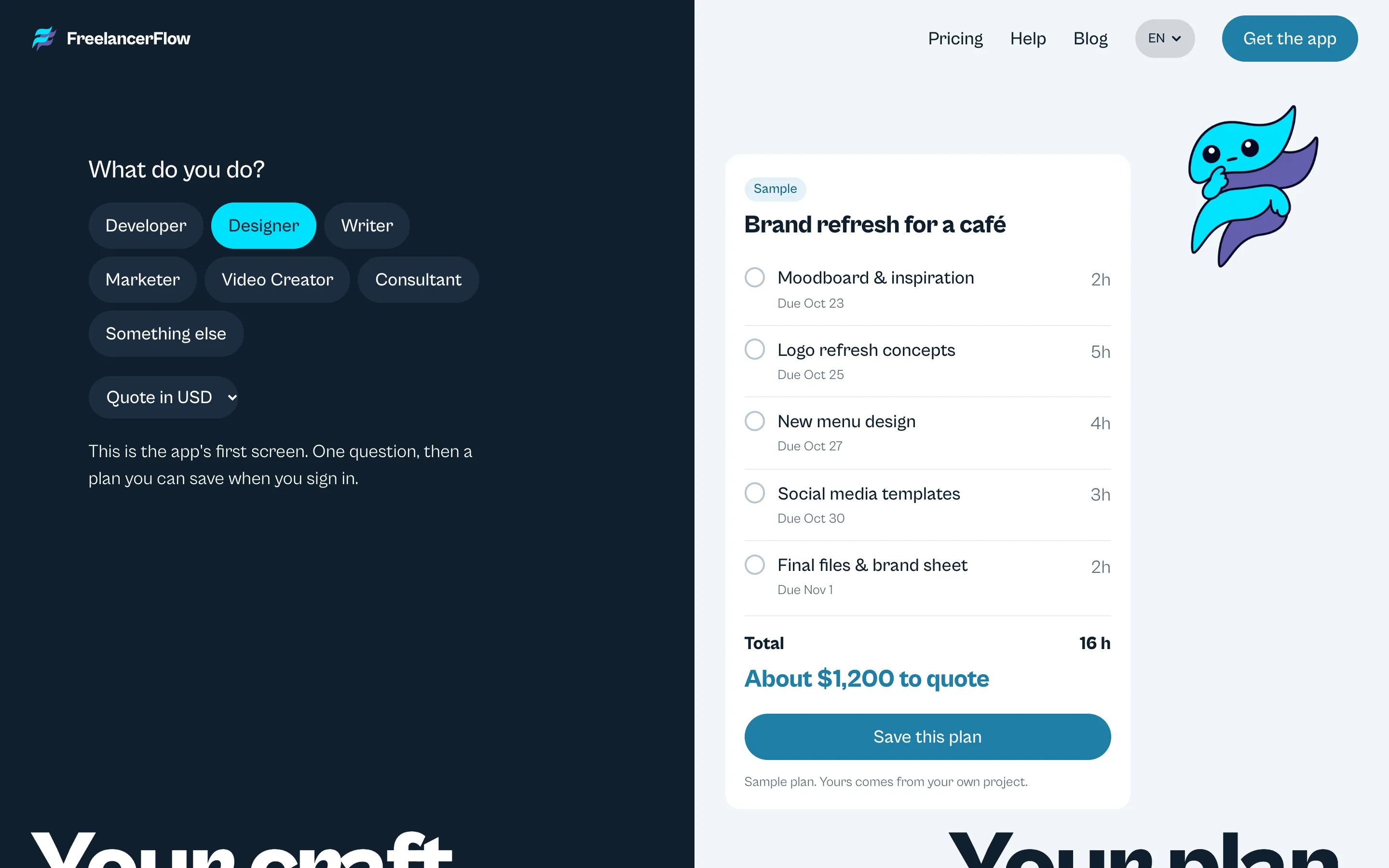
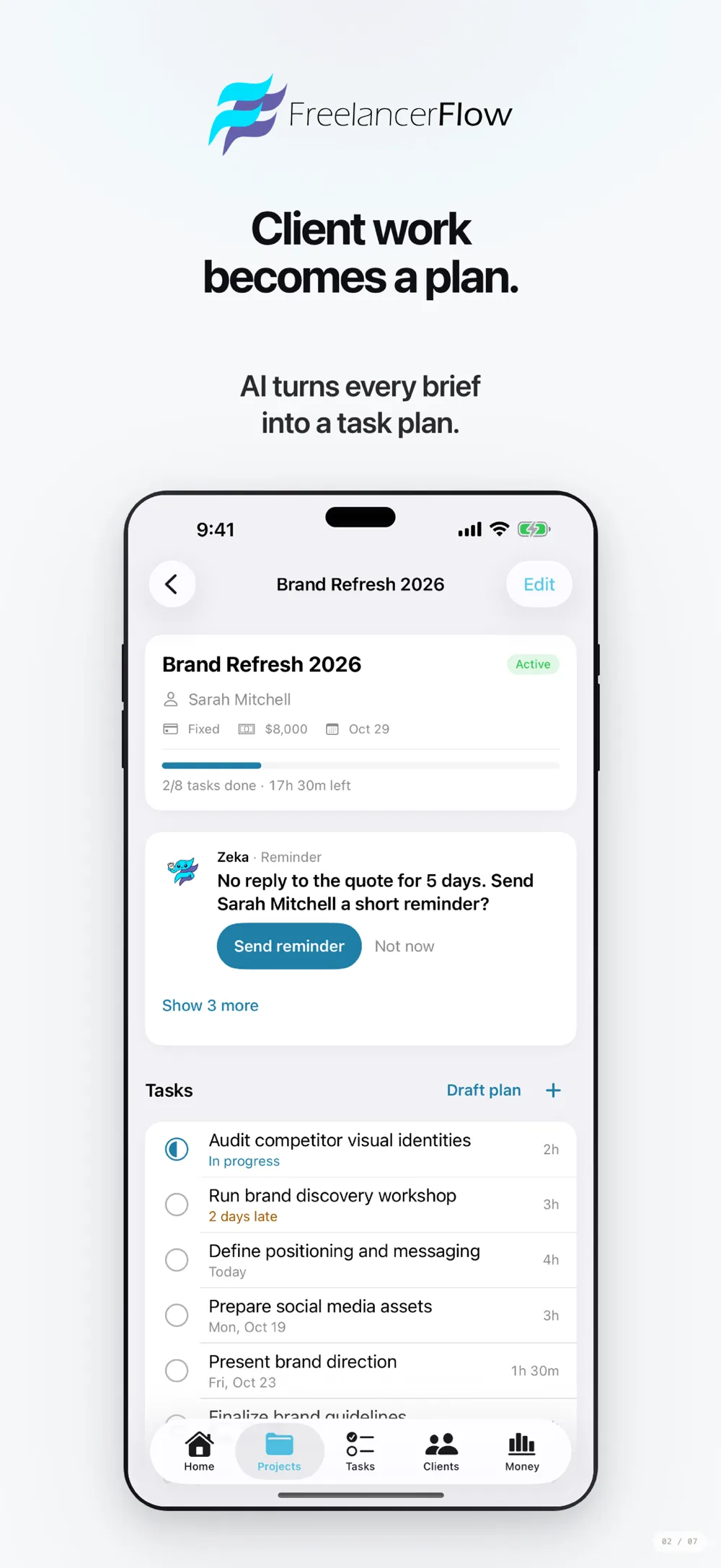
- Plan from a briefPaste the client's brief and AI drafts tasks, hours and dates. You edit them before saving.
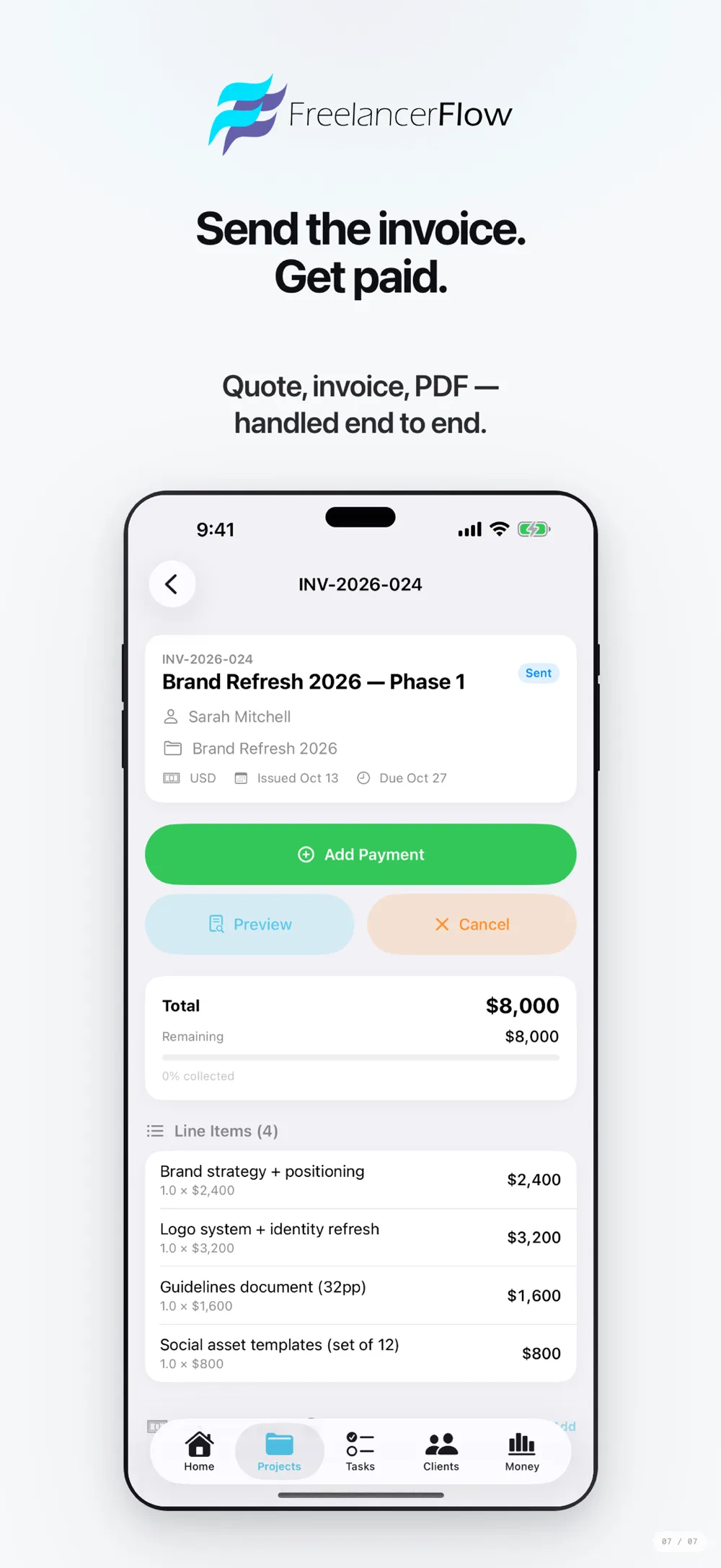
- Quote from the planA quote draft is built from the plan. You edit it and send it as a PDF.
- One-tap invoiceWhen the client accepts, the quote becomes the invoice in one tap.
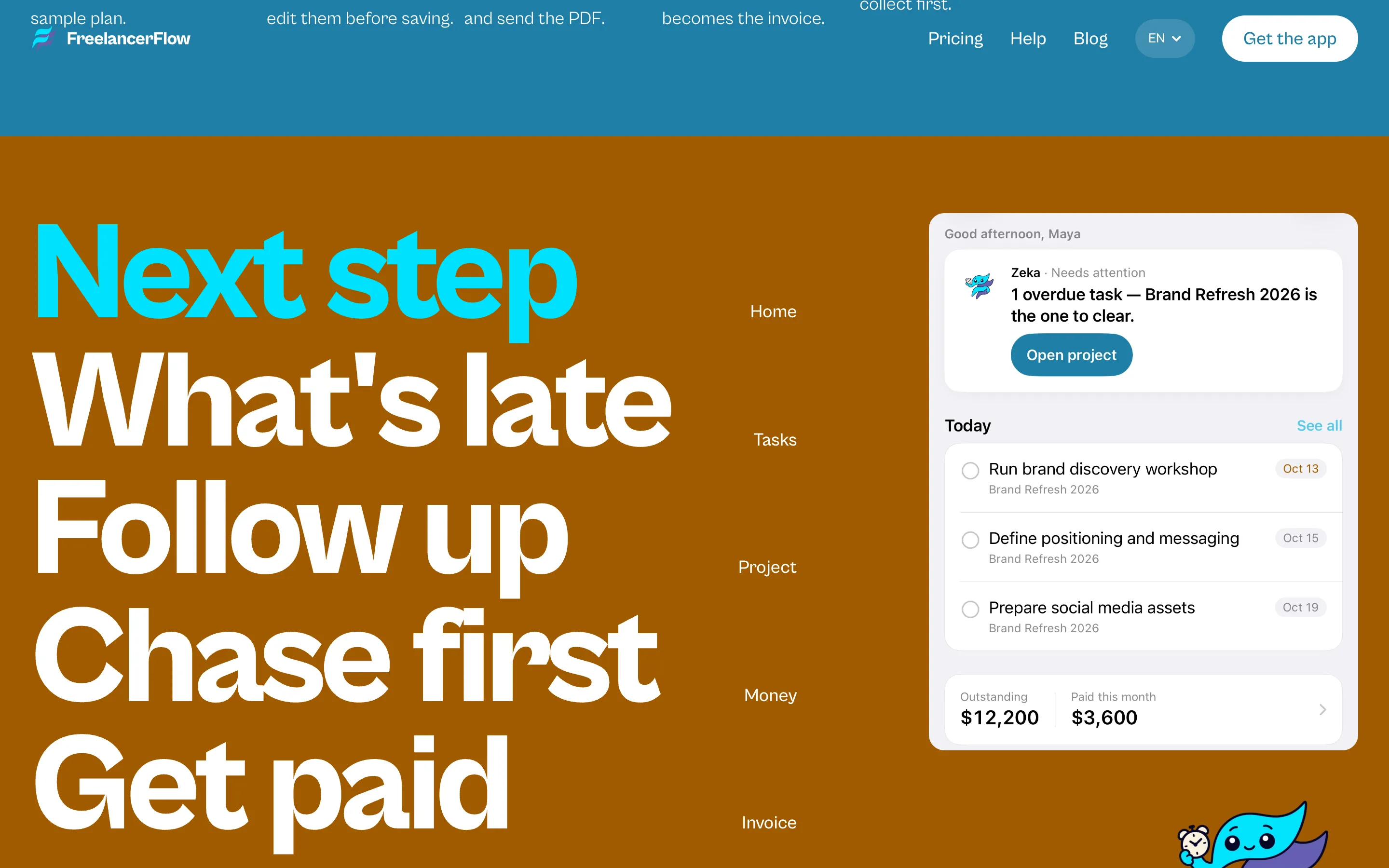
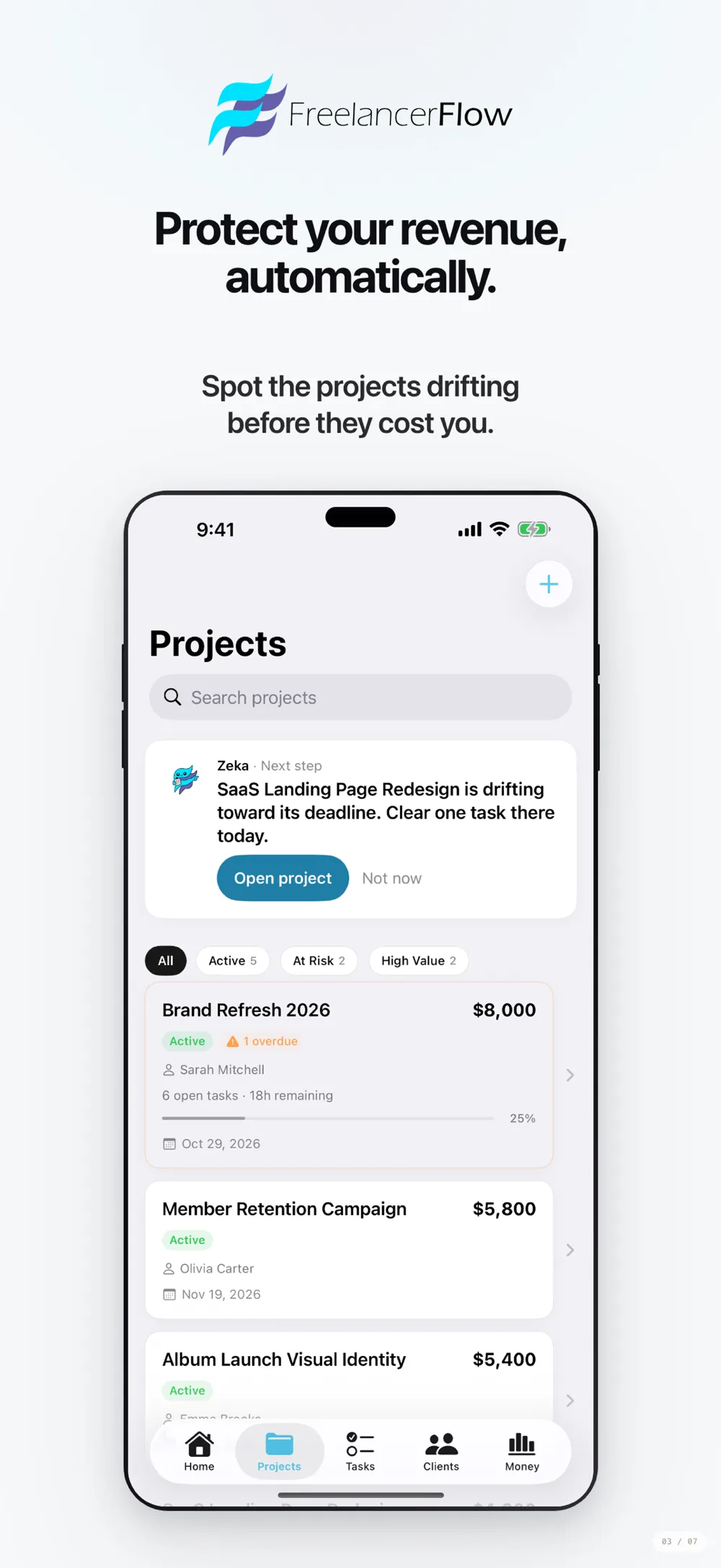
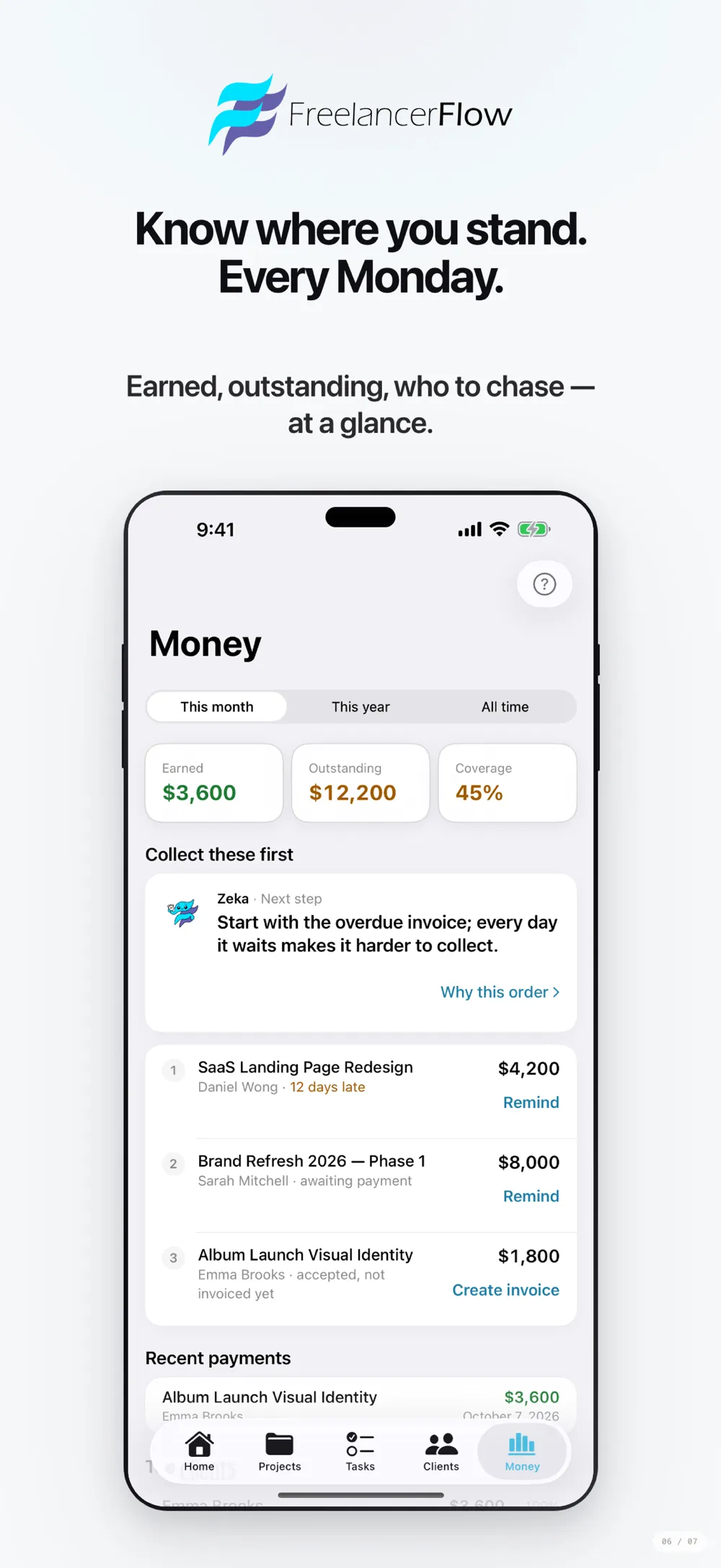
- What to collect firstThe Money tab ranks unpaid invoices by amount, age and status.
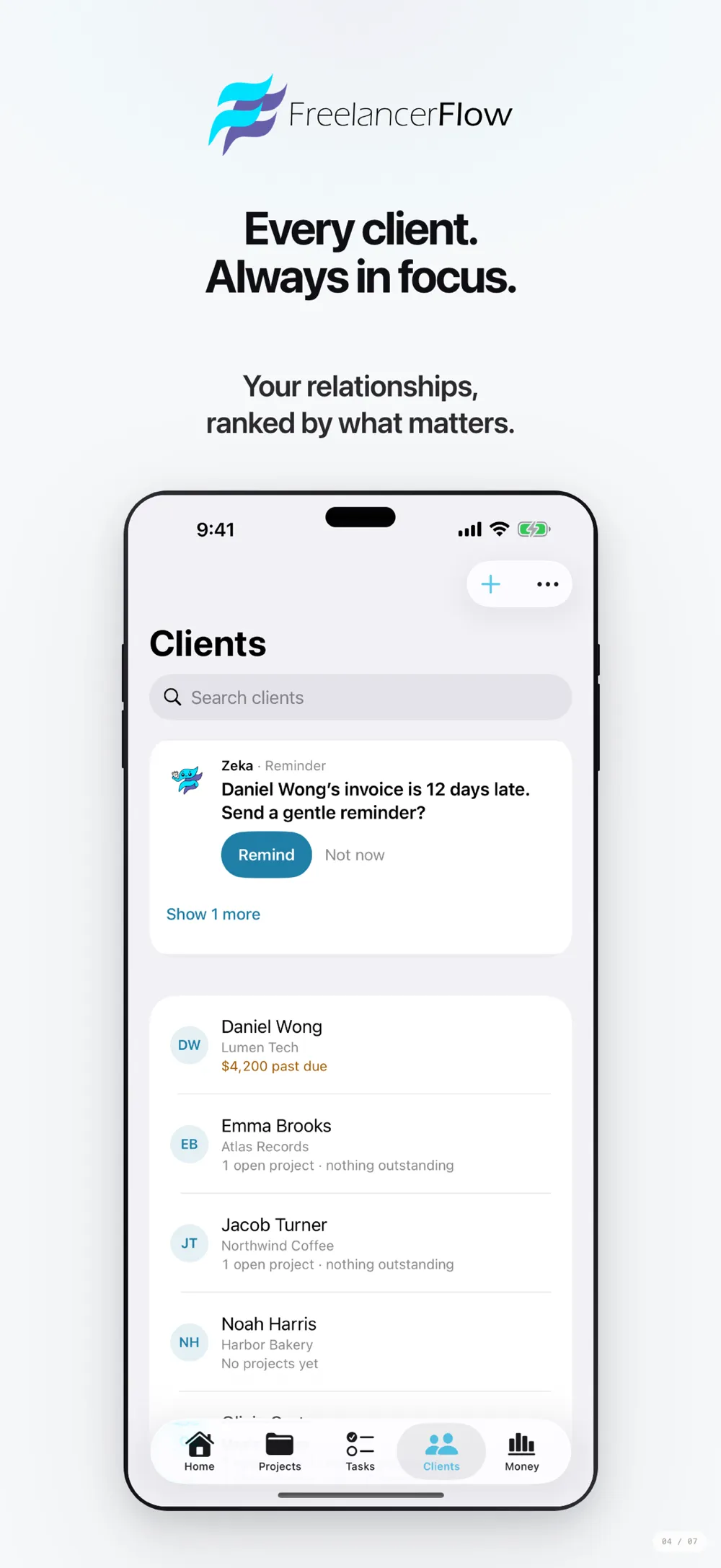
- Zeka, the guideA rule-based guide that runs on your device and your own data, pointing to overdue tasks, unpaid invoices and the next step.
- Offline-first, ten languagesEvery change is saved on the device first and syncs when you are back online. Available in ten languages, Turkish included.
Our own products
We use the tools and checklists from client projects on our own products too.
All products →What does FreelancerFlow solve?
A freelancer’s job is more than the work itself. Reading the brief, estimating the hours, writing the quote, sending the invoice and chasing payment usually live in separate tools. When you move between a notes app, a spreadsheet, an invoice template and email, the step that matters most, chasing payment, is often the one that slips.
FreelancerFlow joins that chain in one app. A brief becomes a plan, the plan becomes a quote, an accepted quote becomes an invoice. Until the money arrives, Zeka tells you who to remind and what to collect first.
Who is it for?
FreelancerFlow is built for people who work alone: developers, designers, writers, marketers, video creators and consultants. The app opens before sign-in, asks “What do you do?” and shows a sample plan for that craft. When you want to keep the plan, you sign in with Apple or email.
It is not built for agencies or teams. It is a simple tool for one person’s business.
What Corrplus carries into client work
In FreelancerFlow we used AI in only the two places where it clearly helps, and labelled both for the user. Everything else runs on predictable rules on the device. We make the same split in client projects: steps that rules can handle go to rules, steps that need interpretation go to a model. That is how we approach LLM integration work.
The app is offline-first: every change is stored on the device and syncs to the account when a connection returns. AI calls go through server-side functions, where usage quotas are enforced. There is no cross-app tracking, no advertising identifier and no ad SDK. When we design a mobile or AI feature for a client, we start from the same questions: where does the data live, where is the model called, and what has the user agreed to? For clients in the EU, those questions map directly onto GDPR.
Frequently asked questions
Is Zeka an AI chatbot?
No. Zeka follows fixed rules on your own tasks, quotes and invoices, on your device. The only AI in the app is the task plan drafted from a brief and the quote drafted from that plan. Both are labelled.
Is there an Android or web version?
No. FreelancerFlow runs on iPhone and iPad with iOS 17.6 or later.
What happens to my data when the trial ends?
The app stays readable. Your clients, projects, quotes and invoices stay where they are; adding new work needs a subscription. Current trial and subscription terms are listed on freelancerflowai.com.
Can I export my data?
Yes. All data can be exported as JSON from Settings, and you can delete your account from inside the app.
Let’s talk about your transformation
Tell us which work repeats every week. We will tell you honestly whether it is worth automating.
How we start
- A free first callWe pin down the problem and the goal together.
- A 2-week discovery sprintWe look at the data, the process and the tools, and decide where to start.
- A written proposalScope, architecture and timeline, in writing.